Privacy-first iOS code scanner

Barcodes and QR Codes
Decoded into Readable Fields

100% offline, battery-friendly scanner with GDPR-compliant data handling. Supports 15+ formats, including rMQR, Aztec, HIBC, and GS1 DataMatrix.

Requires iPhone with iOS 26 or later. Less than 5MB.

How It Works

A quick look at scanning, saving and creating codes.

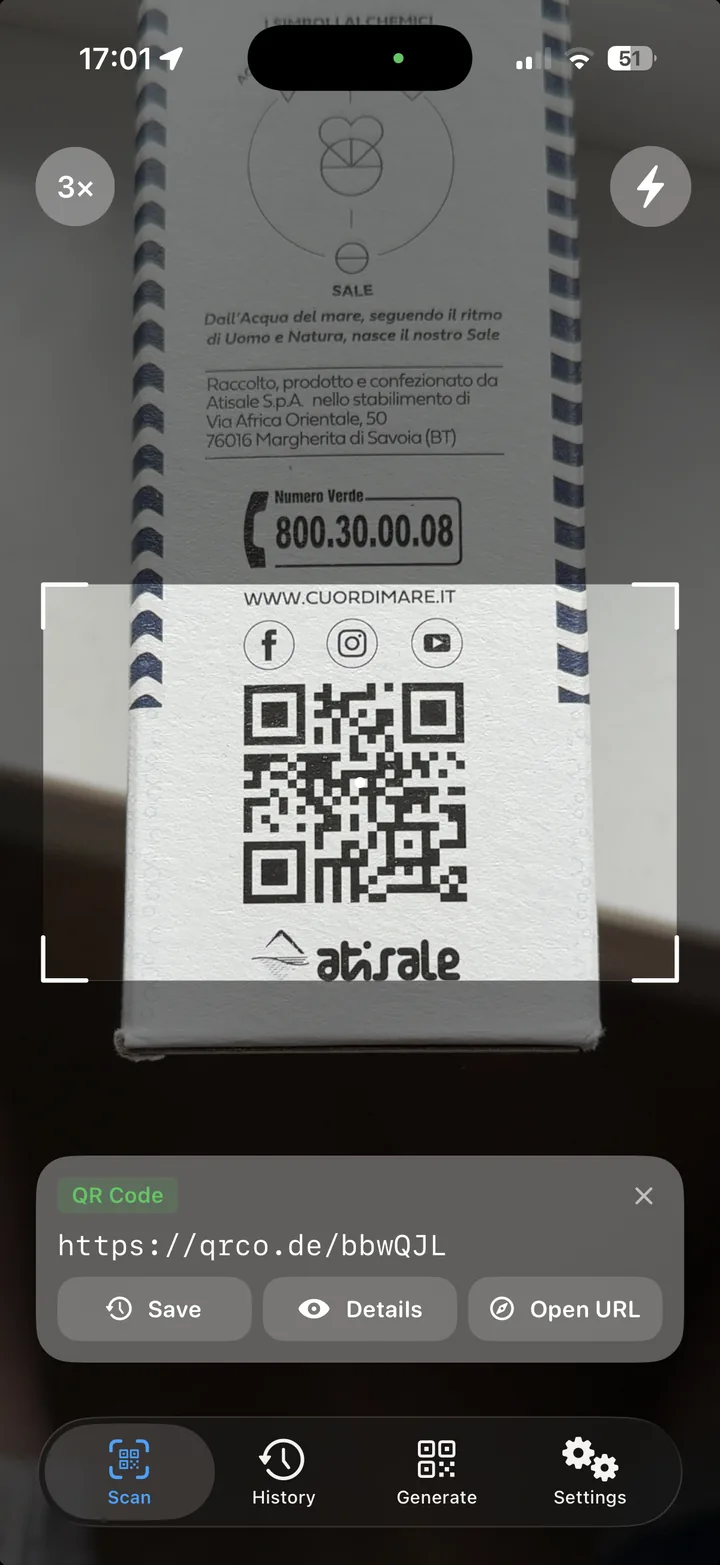
QRectly reading a QR code on a product box, with the decoded link and Save, Details and Open URL actions

Code Scanner

Point the camera and QRectly reads the code, ready to copy, open or save.

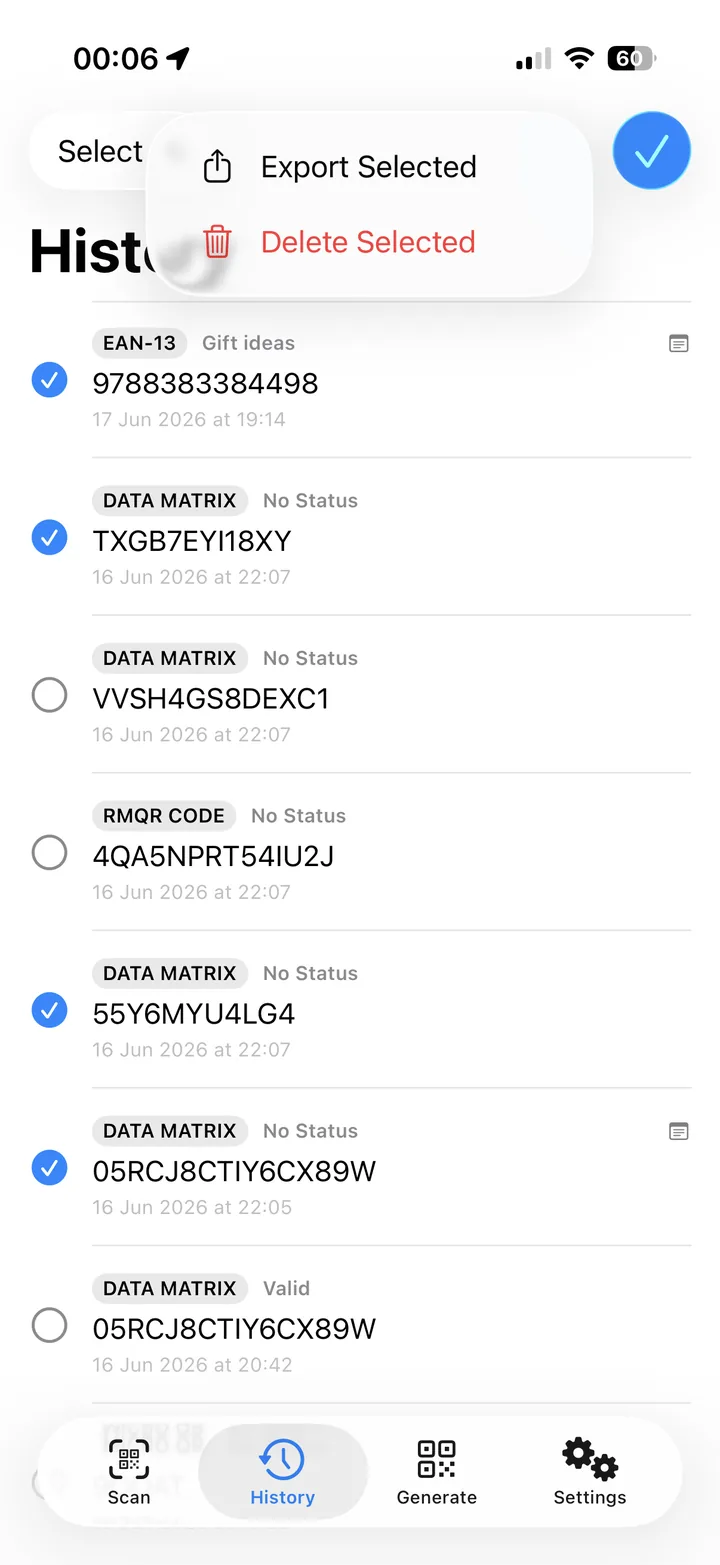
History screen with saved EAN-13 and Data Matrix codes, status labels and an Export Selected menu

History and Export

Save each code with a note and status, then export all or selected codes as a CSV file.

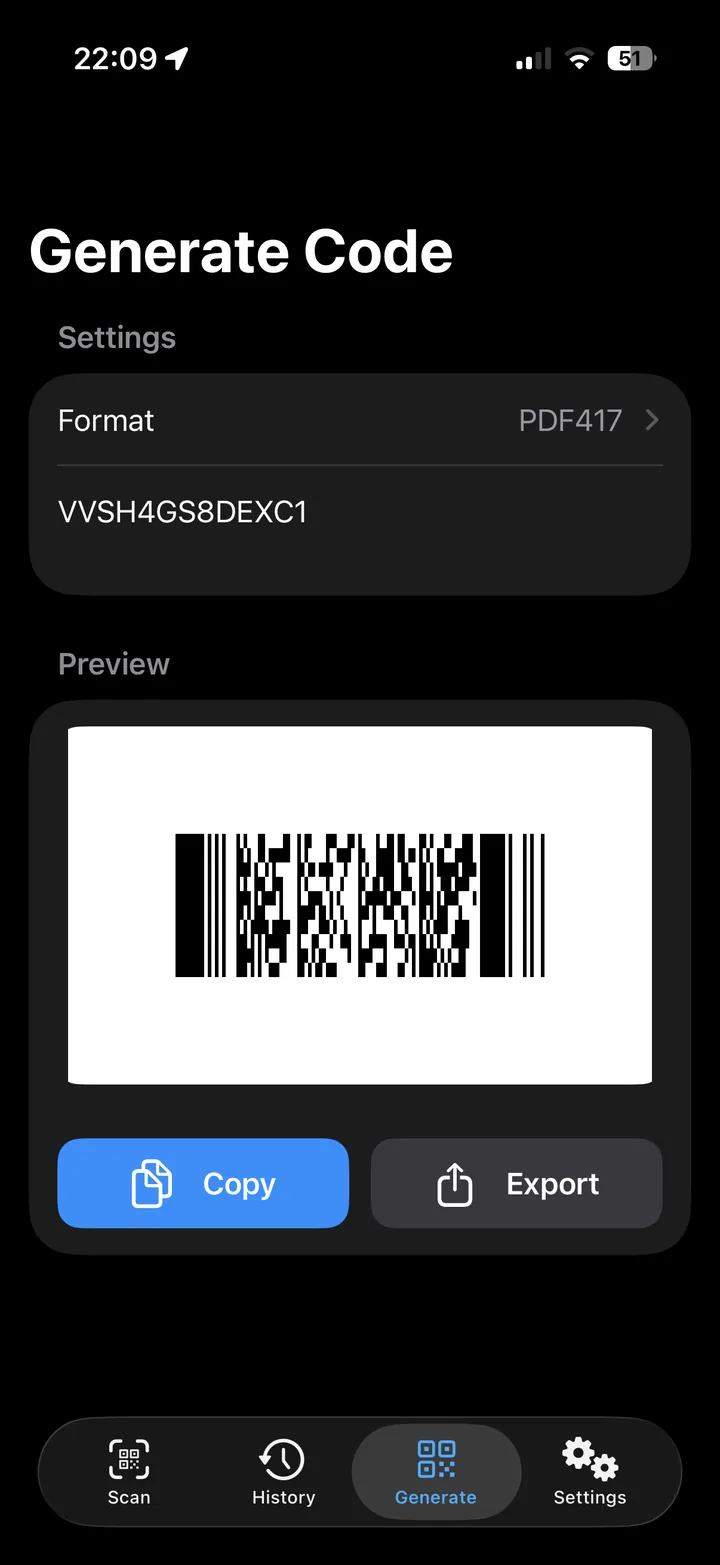
QRectly generate screen creating a PDF417 code with a live preview and Copy and Export buttons

Code Generator

Generate QR or barcodes, then export them as PNG, SVG, or PDF files.

In Short

Reads 15+ Formats

Standard 1D and 2D codes, plus rMQR, Micro QR, GS1 DataMatrix and DataBar.

Low Battery Use

Lightweight, fast, and power-efficient without unnecessary bloat.

Quick Preview Mode

A continuous mode with a quick preview displayed on the screen.

No Setup

No registration or login is required. The app is ready to use without any additional setup.

CSV Export

Export all or selected codes, as a CSV file for use in other tools.

Notes and Status

Add notes and statuses to scans, then sort and filter them by status or code type.

Works 100% Offline

Everything runs locally on your device, with no external servers or internet connection required.

No Tracking

Built with privacy in mind, the app runs without ads, tracking, telemetry, or third-party services.

Small Footprint

A powerful QR and barcode scanner with a download size of less than 5 MB.

Structured Data

The app decodes URL links, vCards, Wi-Fi credentials, GS1 codes, and boarding passes into readable fields.

GS1 Codes

Decode GS1 DataMatrix and DataBar codes and view GTINs, batch numbers, serial numbers, expiry dates, and other encoded data in a clear, human-readable format.

Driver License & ID

QRectly supports AAMVA-compliant IDs and driver’s licenses from the United States and Canada, helping you verify age and serve customers in compliance with applicable laws.

Boarding Passes

Scan a printed boarding pass to extract passenger and flight details, including the name, route, flight number, seat, and booking reference. Store the extracted data for convenient access.

Supported Codes

Every code QRectly can read, and the formats it can create.

2D / Matrix

  • QR
  • Micro QR
  • rMQR
  • Data Matrix
  • Aztec
  • PDF417

1D / Barcodes

  • EAN-13 / 8
  • UPC-A / E
  • Code 128
  • Code 39
  • ITF
  • Codabar
  • DataBar Expanded

Other Formats

  • GS1 DataMatrix
  • GS1 DataBar
  • GS1 Digital Link
  • HIBC
  • IDs and Driver's Licenses (AAMVA)
  • Boarding Pass (BCBP)

Generating

Create

  • QR
  • Wi-Fi QR
  • Data Matrix
  • PDF417
  • Code 128

Export as

  • PNG
  • SVG
  • PDF

Industries and Use Cases

Inventory and Logistics

  • Inventory and warehouse logistics
  • Asset tagging and equipment IDs
  • Sample tracking

Healthcare and Pharmacy

  • Patient wristbands
  • Medication verification
  • GS1 DataMatrix on packaging

Travel and Transit

  • Boarding passes (IATA BCBP)
  • Luggage tags and tickets
  • Hotel check-in codes

Pricing

Every option unlocks the full app. Subscribe monthly or yearly, or pay once for lifetime access.

Monthly

$3.99 /month

Billed monthly. Cancel any time.

View on the App Store

Save 27%

Annual

$34.99 /year

Works out to $2.92 a month.

A full year of access, billed once.

View on the App Store

Lifetime

$59.99 once

Pay once. No subscription, ever.

View on the App Store

Prices are U.S. App Store rates and vary by region.

Common Questions

What is QRectly?

QRectly is an iOS app for scanning, creating, and managing QR codes and barcodes. It supports common retail codes as well as specialist formats used in healthcare, logistics, manufacturing, travel, and identification. You can scan these codes directly with your iPhone, without an additional industrial barcode scanner.

All data stays stored privately on your device and the app works fully offline and keeps your scan data stored locally on your iPhone without extra accounts, cloud or external data storage.

What types of QR codes and barcodes can QRectly scan?

QRectly reads more than 15 barcode and QR code formats, from common standards such as QR, EAN, UPC, and Code 128 to less widely supported formats including Micro QR, rMQR, Data Matrix, Aztec, PDF417, HIBC, and DataBar.

It can also decode GS1 DataMatrix, GS1 DataBar, and HIBC codes, as well as IATA boarding passes and driver’s licenses from the US and Canada. The decoded information is presented in a clear, human-readable format.

Can QRectly scan IDs and drivers’ licenses?

QRectly reads identification documents and driver’s licenses issued in the US and Canada. It extracts data encoded in supported barcode formats and presents the available information in a structured format.

The app can support age verification and other workflows where businesses need to check customer eligibility in retail, hospitality, and related industries.

Can I use QRectly without an internet connection?

QRectly is designed to operate without an internet connection. You can scan barcodes and QR codes, generate codes, and access your local scan history without an internet connection.

Does QRectly store or collect my data?

No. QRectly processes scans locally on your iPhone and does not send your data to external servers. You do not need to create an account, register, log in, or provide an email address.

QRectly has no ads, analytics, or tracking. Your data remains on your device until you delete it.

This makes QRectly suitable for businesses that handle customer information, internal documents, or other confidential data and need to keep that data under their own control.

Can I scan multiple codes in sequence?

Yes. Quick Mode lets you scan and save multiple codes in sequence. It works well for inventory checks, stock management, asset tracking, and warehouse tasks, so you can keep scanning without opening a result screen after each code.

Can I save, organize, and export scan results?

Yes. When scanning, you can choose whether QRectly should save the scanned code data. You can also add notes and status labels to organize results and keep track of scanned items.

You can export all scan results or only selected results as a CSV file. The file can be opened in spreadsheet applications or imported into other systems, making it easy to work with scanned data outside the app.

Can I export generated codes?

Yes. QRectly supports QR, Wi-Fi QR, Data Matrix, PDF417, and Code 128 codes. You can export generated codes as PNG, SVG, or PDF files for sharing, saving, or printing.

All exported codes are free of watermarks and other signatures.

Who is QRectly useful for?

QRectly is designed for anyone who needs more than a basic QR scanner. It handles everyday QR codes and product barcodes, as well as more specialised use cases, such as decoding a medicine’s expiry date.

It supports professional workflows involving inventory management, logistics or identification. This offers a practical alternative to expensive, industrial barcode scanners that can be difficult to configure and use.

Get QRectly on the App Store

Subscribe monthly or yearly, or pay once for lifetime access.

View on the App Store